
Team
1 Product Designer, 1 Product Manager, 3 Developers
Role
Product Designer
Duration
Jun. 2024 – Dec. 2024
Tools
Figma
CONTEXT
Problem
The city of Ithaca, NY has committed to electrifying 6,000 buildings by 2030 to reduce carbon emissions. However, nearly half of local homes still rely on natural gas heating. Despite the long-term efficiency and sustainability benefits of electric HVAC systems, adoption remains lower than expected. So our design challenge is:
How might we help people confidently adopt eco-friendly HVAC systems for their homes?
USER RESEARCH
Understanding the Pain Points
Here are the pain points I gathered after:
Interviewed 10 homeowners and renters at different stages of HVAC use and planning.
Conducted competitive analysis of online HVAC retailers and installation services.
Mapped the end-to-end user journey, identifying major friction points. Based on these pain points,
I then identified corresponding opportunity areas that our product could work towards.

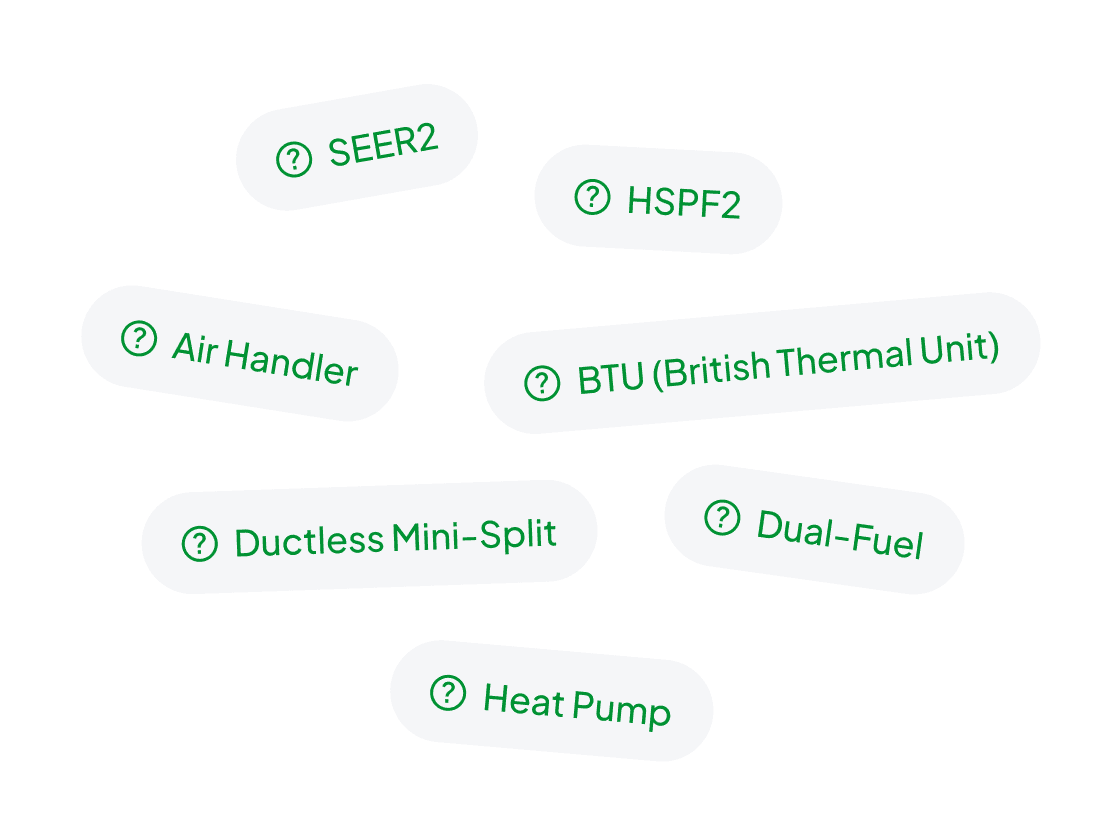
Complex Specs and Biased Guide
HVAC specs (BTU, SEER ratings, etc.) are hard to understand. Many felt that reviews or store reps were influenced by promotions, leading to uncertainties.
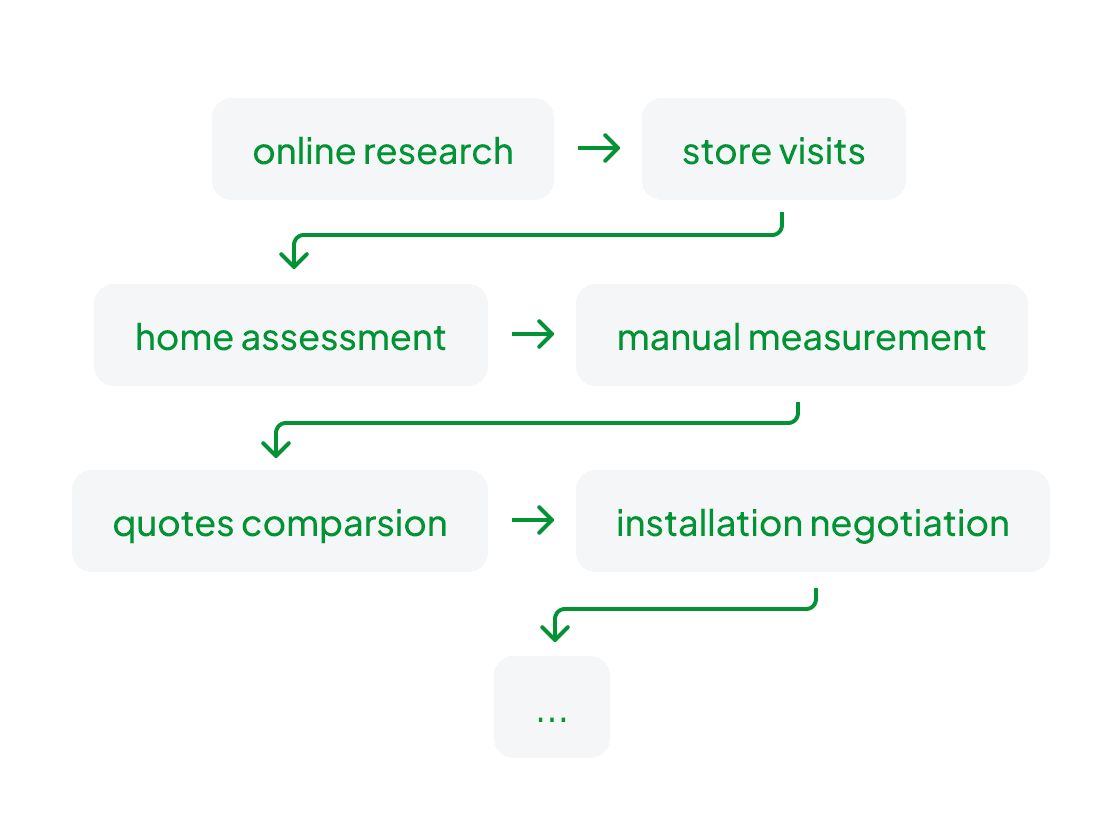
Time-Consuming Process
HVAC planning process involves site visits, manual measurements, and consultations with vendors, which is very fragmented and time-consuming.
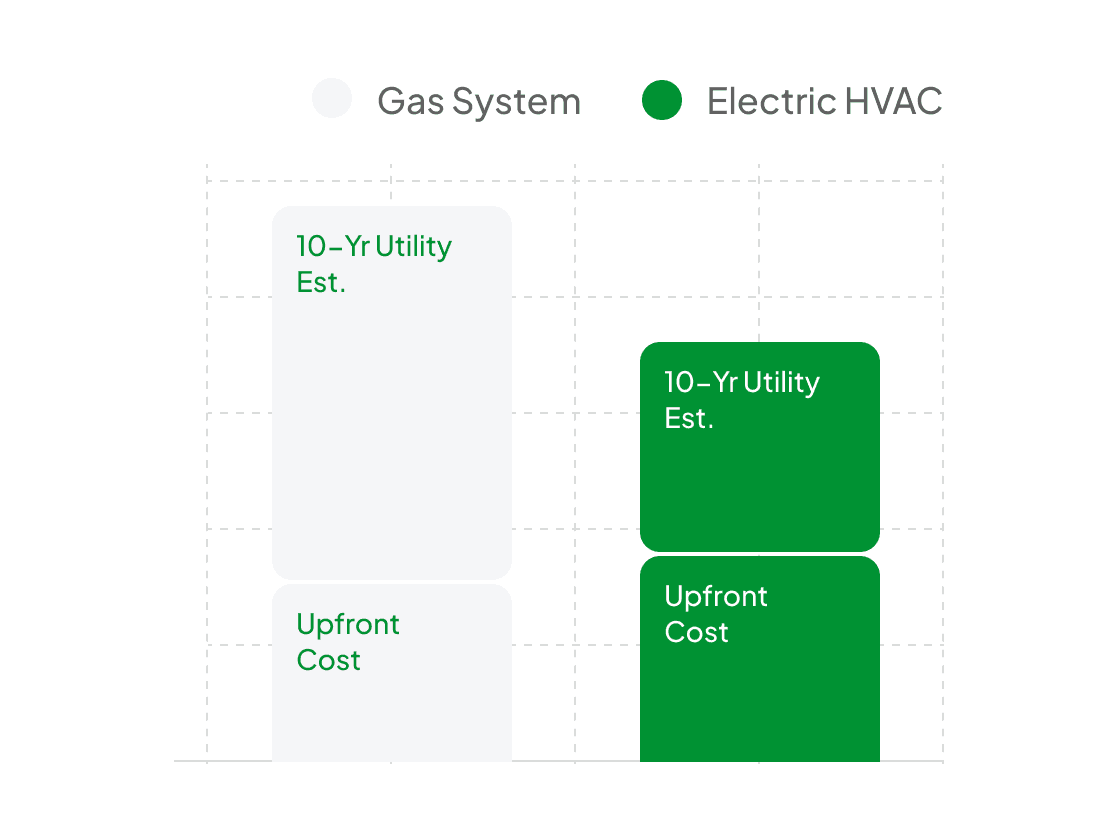
Uncertain Cost and Sustainability
Users struggled to look beyond the upfront price when comparing HVAC options and were unsure whether sustainable models would deliver long-term savings.
Plain, Unbiased Guidance
Help users easily understand HVAC information through plain, transparent insights that feel trustworthy and objective.
One-Stop HVAC Planning
Make the HVAC journey feel seamless by connecting every step and removing the manual work and repetition.
Transparent Cost & Eco Insights
Show both upfront and lifetime costs alongside energy efficiency to help users make informed, sustainable choices.
IDEATION
Mapping the New User Flow
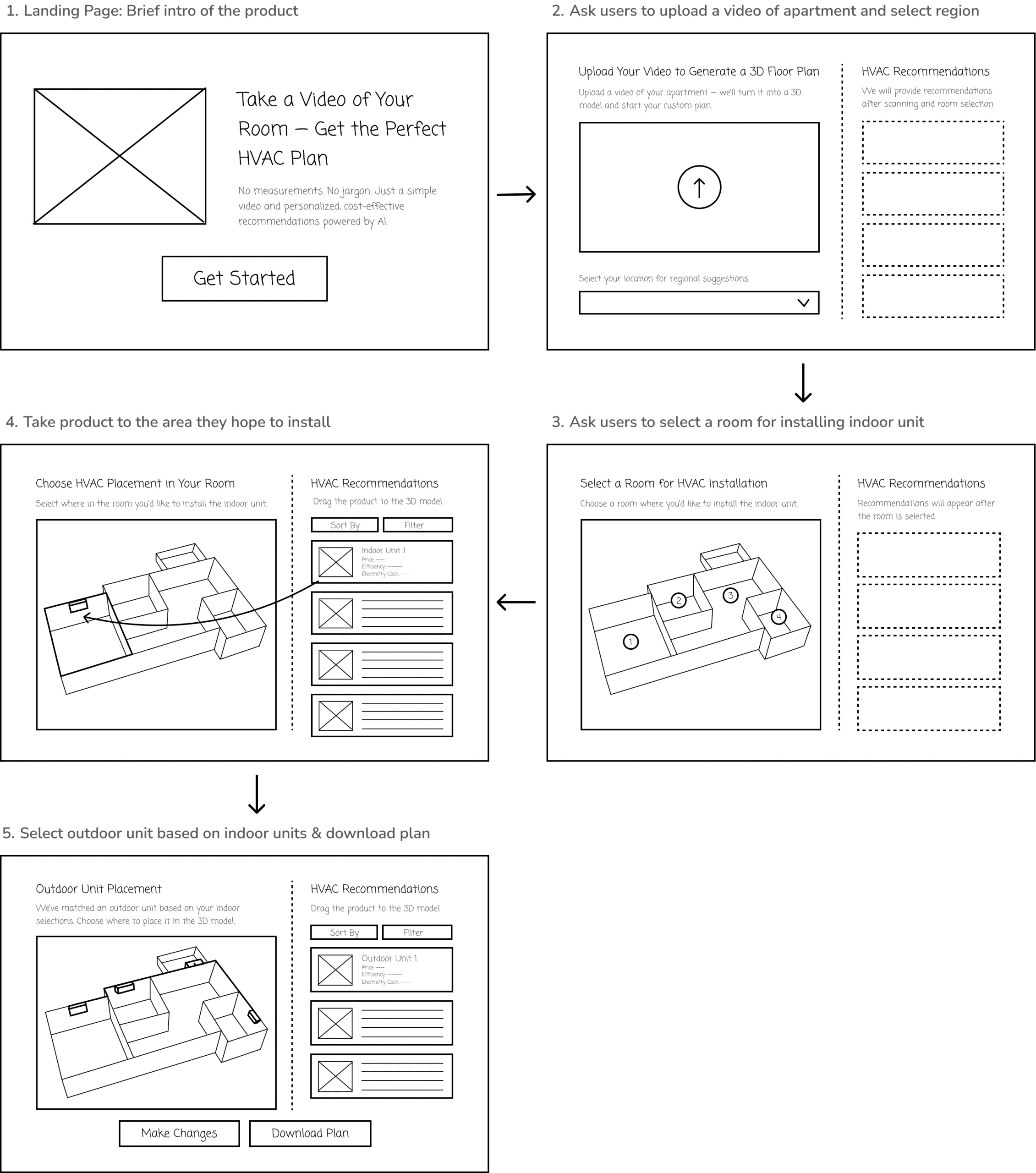
Based on user research, technical capabilities, and product requirements, I sketched initial user flows in low-fidelity wireframes to visualize the experience.
DESIGN SYSTEM
Establishing a Clean, Modern, and Sustainable Visual Identity
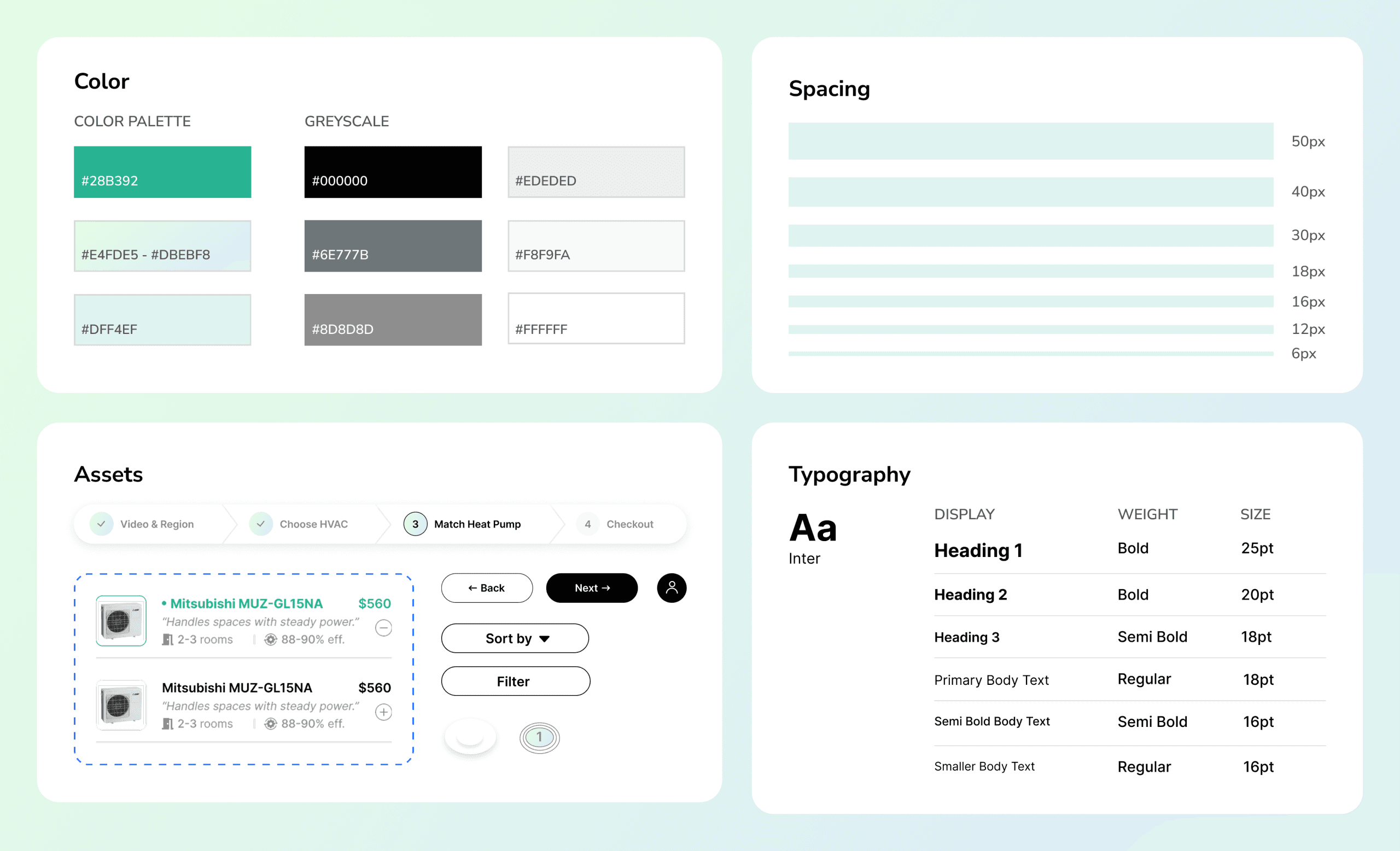
As the design moved into mid- and high-fidelity, I established a clean and modern visual identity. Soft forms and a green-blue palette create an approachable, sustainable feel, while black and gray ensure clarity and readability.
ITERATION
Mode of Interaction
After defining the user journey and design system, I explored different interaction models to make the 3D planning experience intuitive and approachable.
I chose the Guided Flow because HVAC planning is unfamiliar to most users and typically a one-time or occasional task. Step-by-step guidance and clear instructions help users feel supported and confident when using the technology and making purchase decisions. This approach compensates for the lack of familiarity compared to the flexible canvas.
☺ Step-by-step Guided Flow
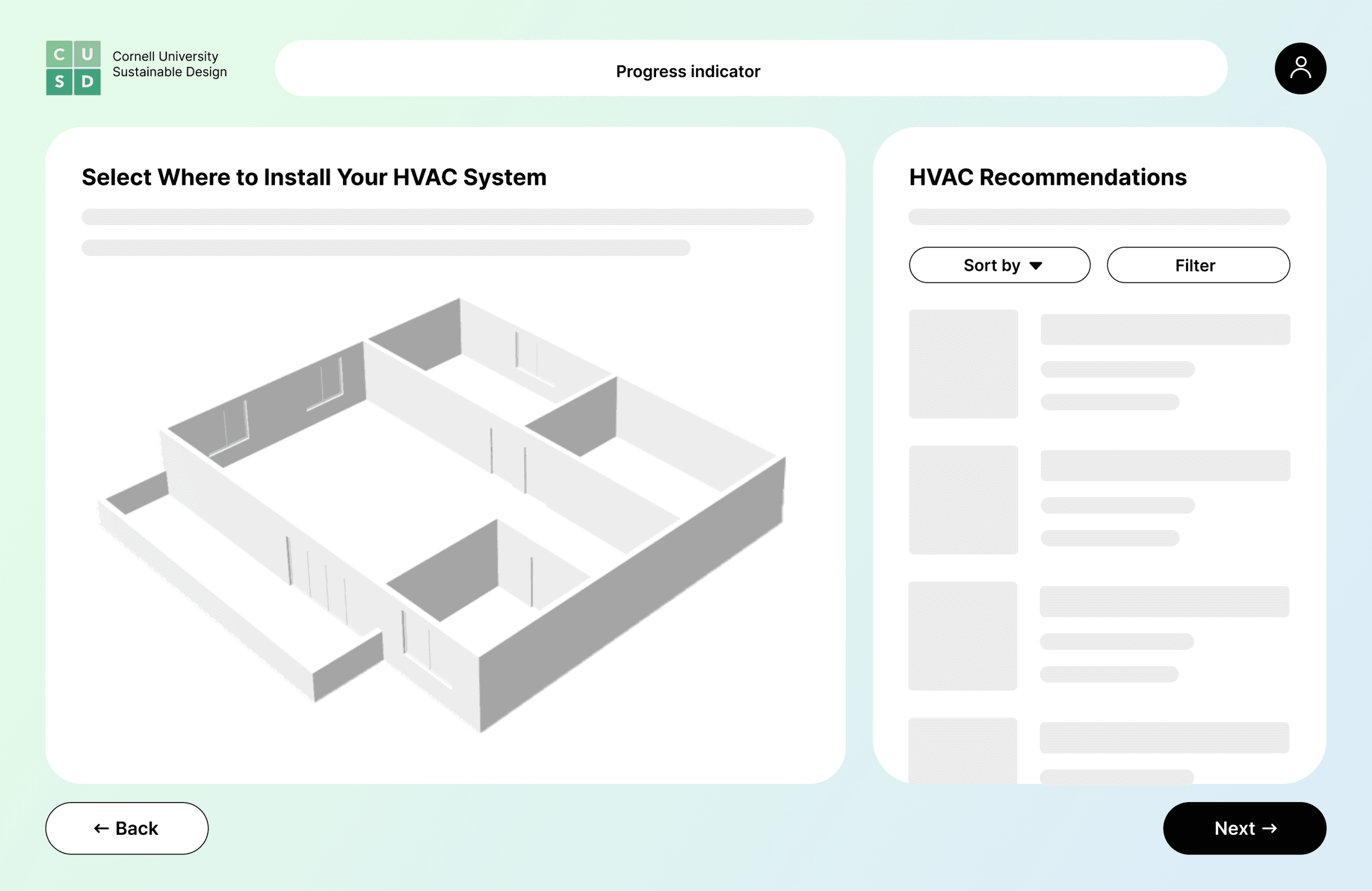
The model sits on the left and recommendations on the right. The process is divided into small, guided steps with clear navigation and a progress indicator. All components are organized into structured bento-style sections.
✓ Structured flow for easier first-time navigation
✓ Clear inline instructions guide users at each step
✓ Lower cognitive load and increased confidence through smaller and simpler steps
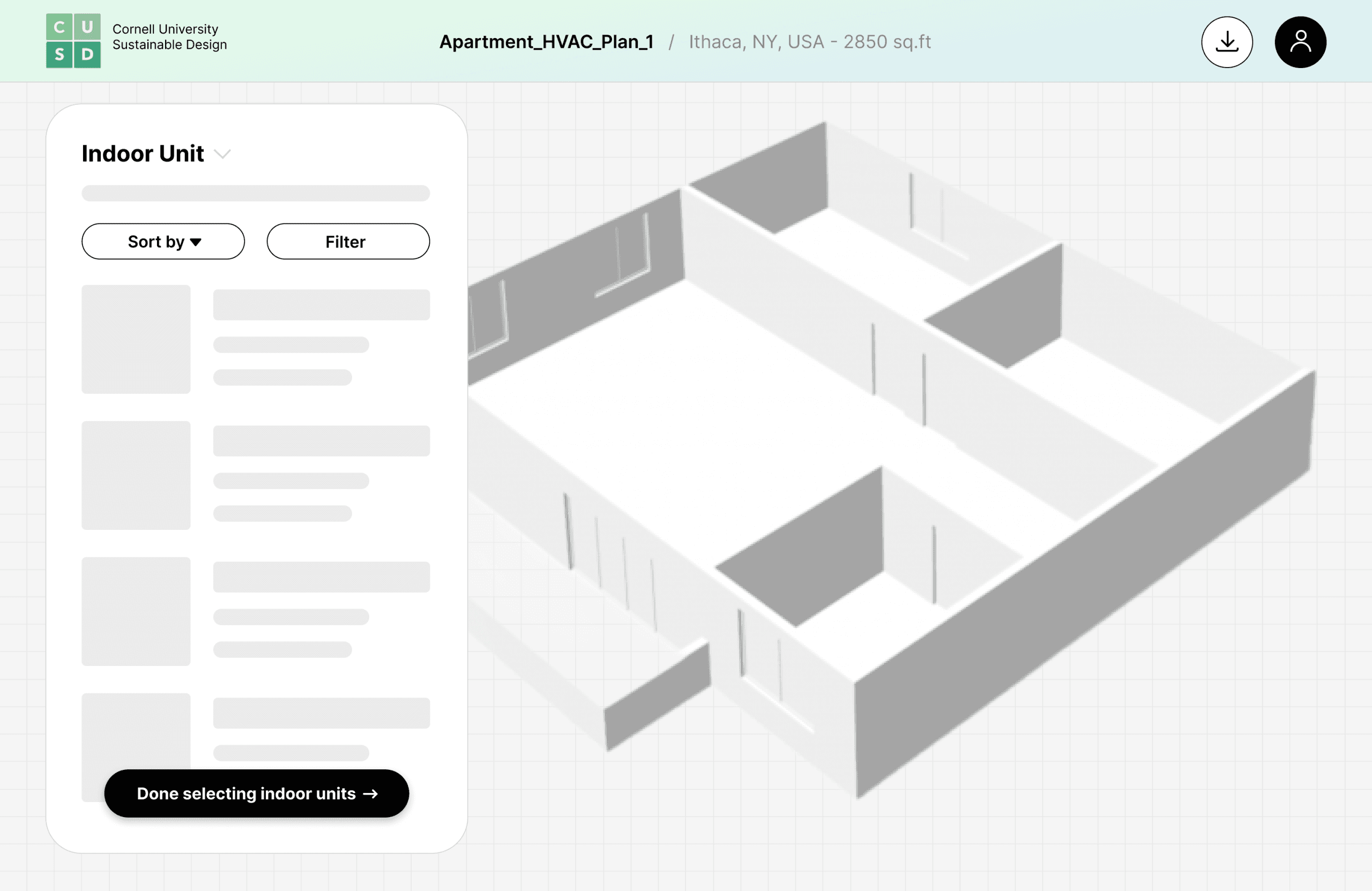
Flexible Canvas
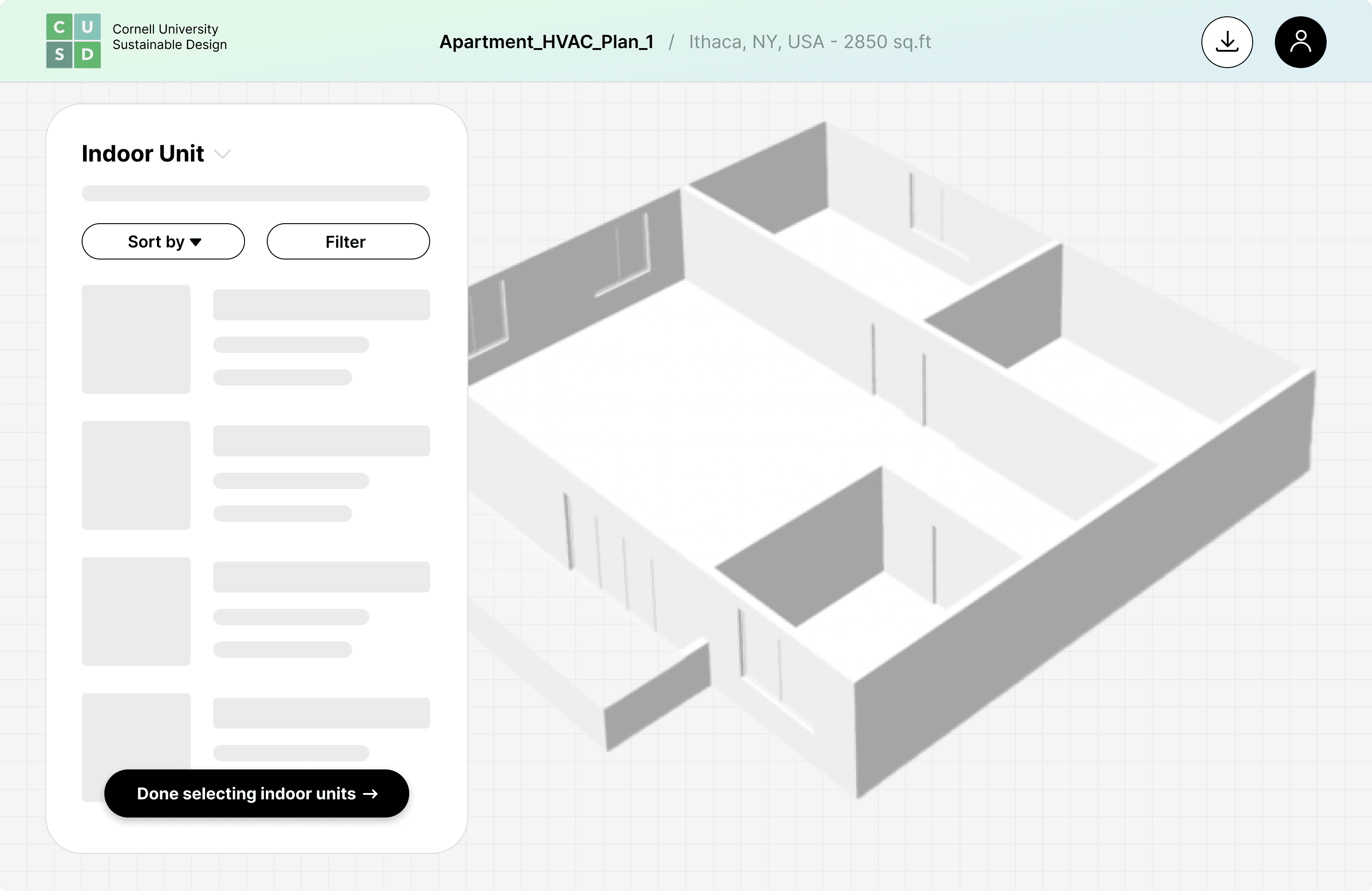
The model sits on a grid-based canvas, with the product list overlaid on the left. This layout follows the pattern of interior design tools, allowing users to freely zoom, rotate, and drag-and-drop products into the space.
✓ More flexibility in exploration and precision in placement
✓ Familiar interaction pattern makes it intuitive to interact
✗ May overwhelm users unfamiliar with HVAC planning, increasing hesitation and decision anxiety
Giving Users a Clear Sense of Progress
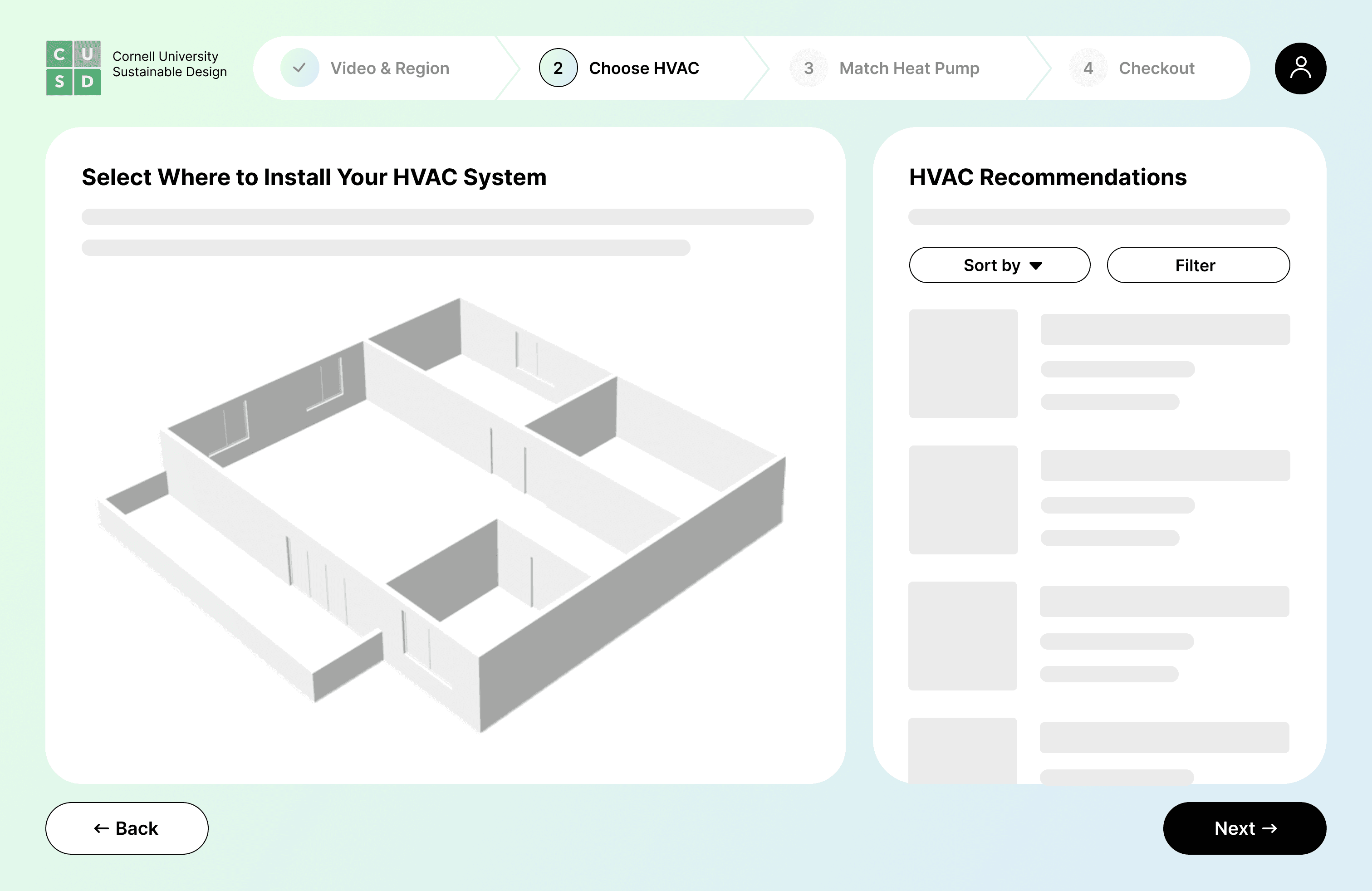
After choosing the Guided Flow, I needed a progress indicator to help users understand where they are in the process and navigate more easily. I chose Iteration 2 for its clarity, effectiveness, and seamless integration with the overall flow.
Iteration 1
✓ Clearly separates each step
✗ Visually distracting & breaks layout harmony
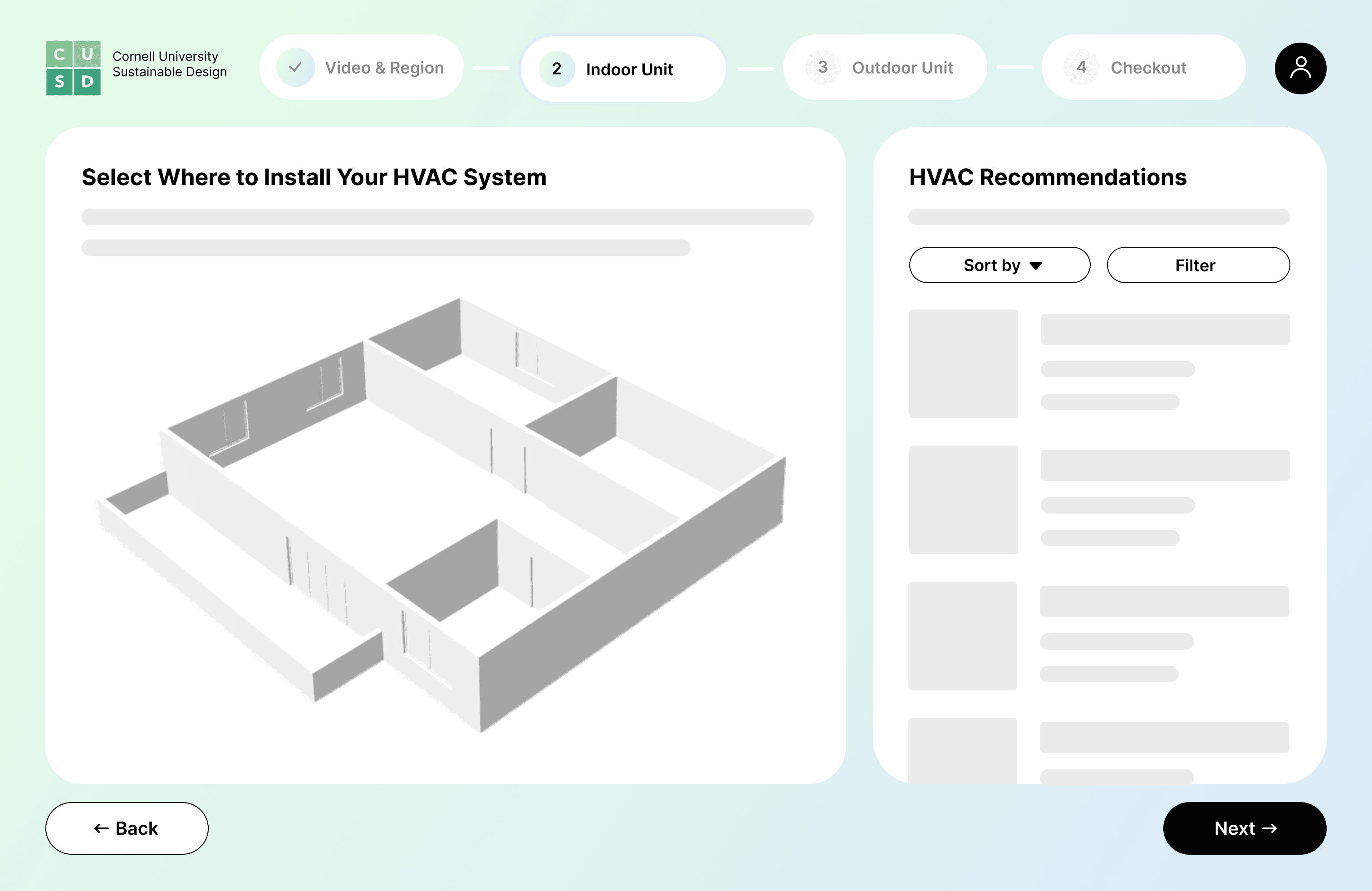
☺ Iteration 2
✓ Clean and minimal
✓ Provides clarity without distraction
Making Product Comparison Easier
To make product comparison easier, I refined the recommendation list design through iteration and user testing.
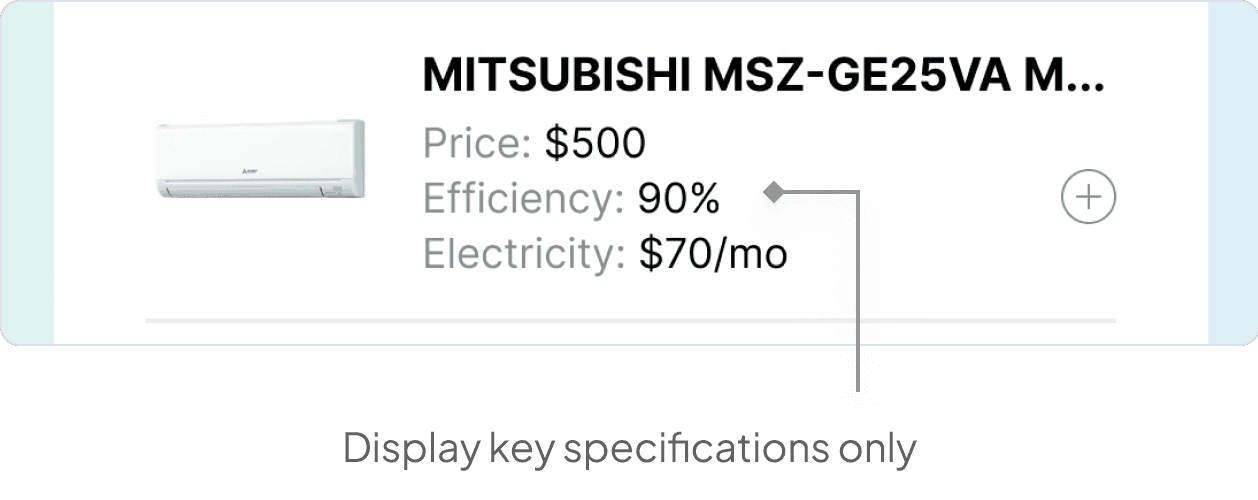
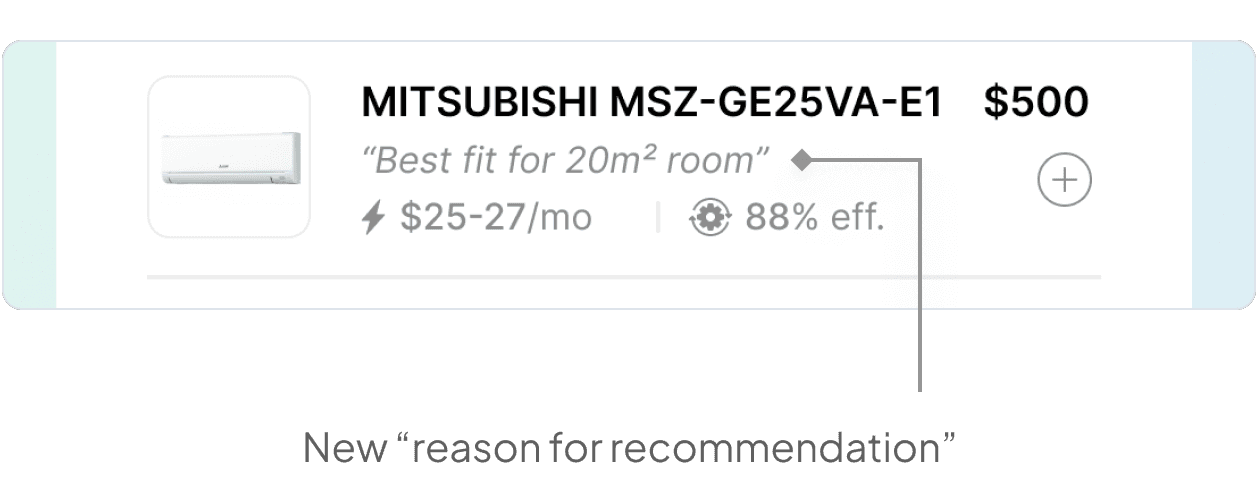
Initially, each product card in the list only displayed price, efficiency, and electricity cost, which are core decision drivers, to ensure a clean experience. However, user testing revealed that even with these key specs, users still felt uncertain. To address this, I added a short “reason for recommendation”: a simple, one-line explanation as a trust signal to make the recommendations feel more transparent and personal.
Initial Version
✓ Highlights key product data clearly
✗ Lacks explanation behind recs, leading to hesitation
☺ Revised Version
✓ Builds trust with clear reasoning for each rec
✗ Slightly more text-heavy than the first version
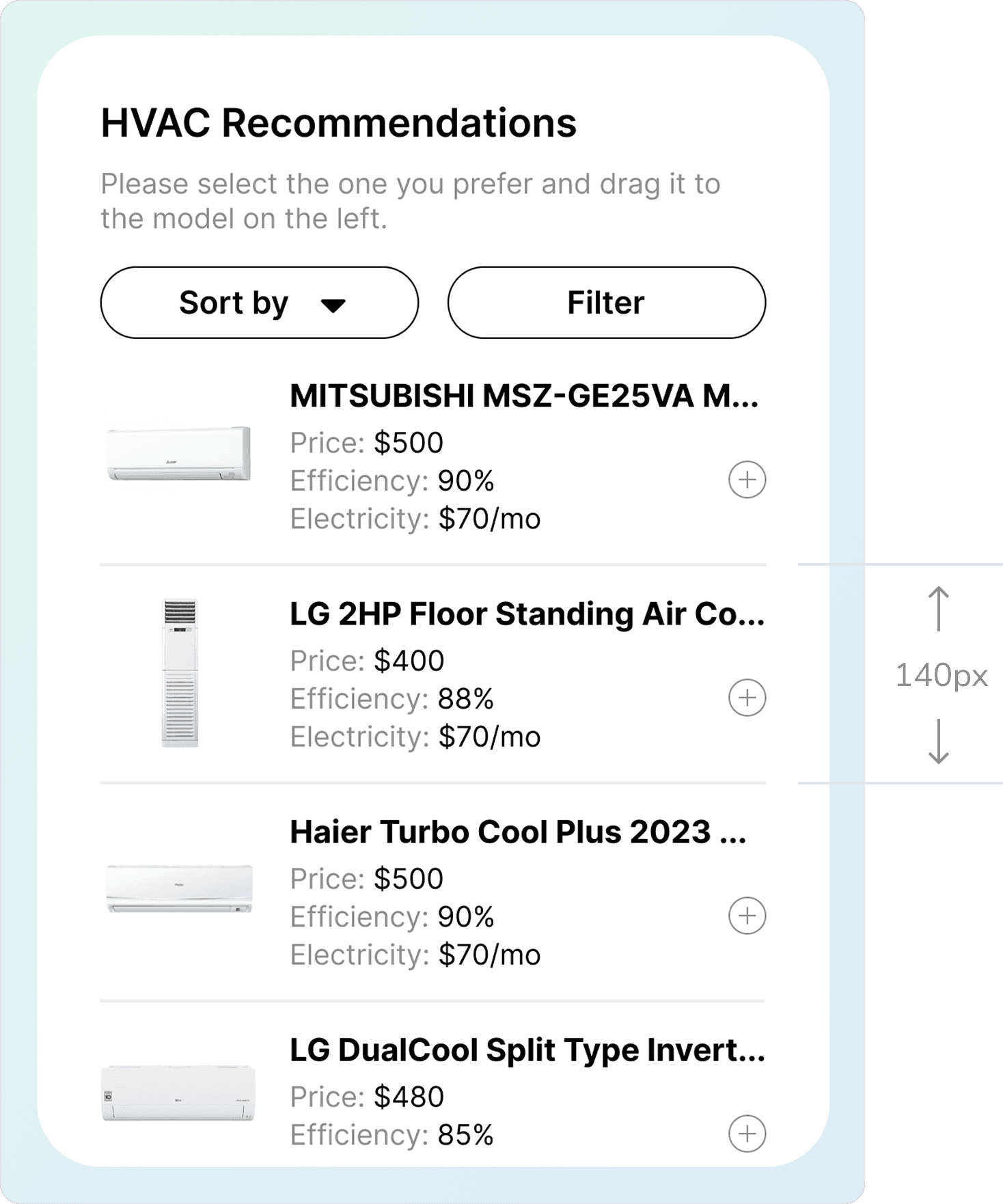
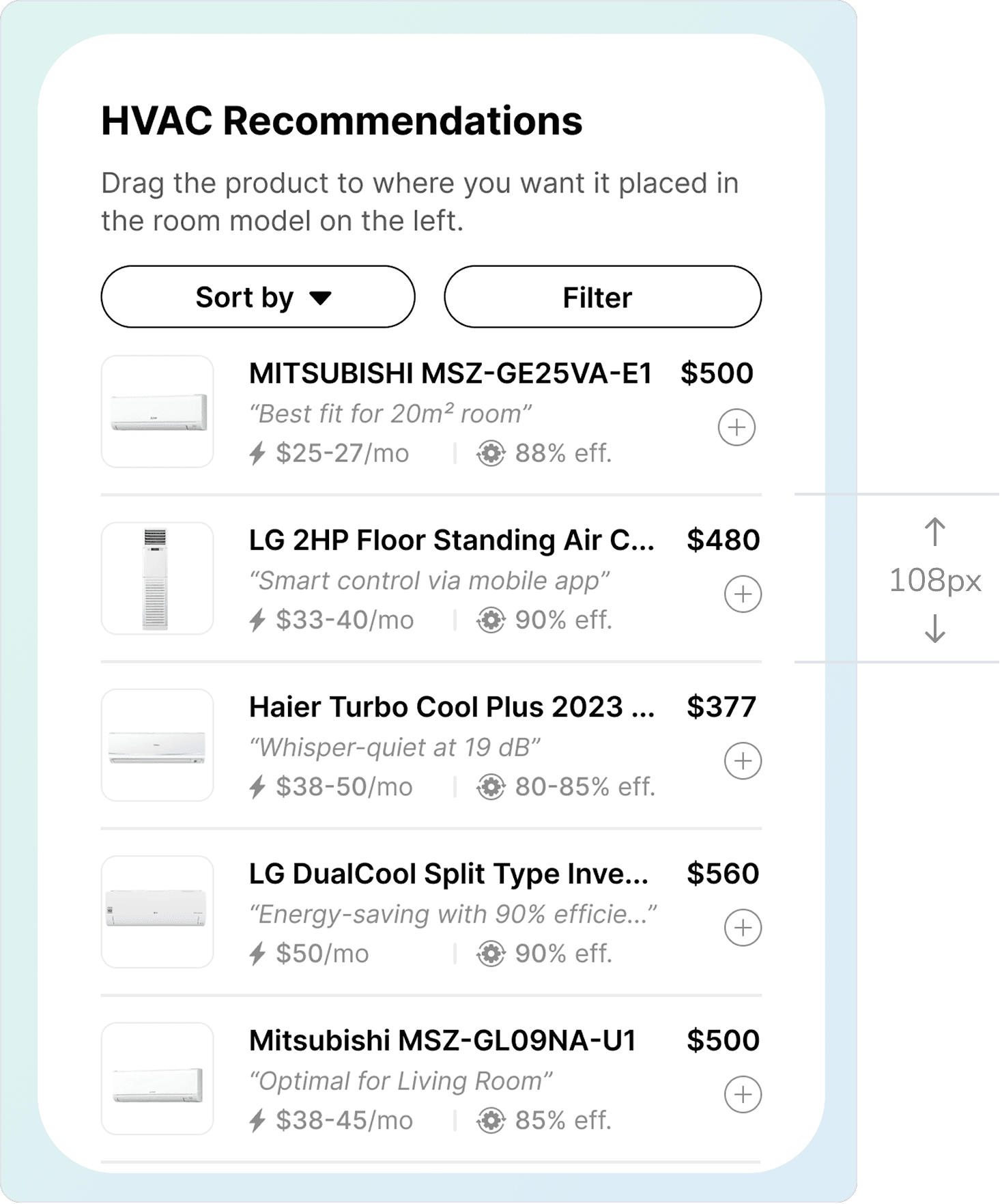
I also reduced image size and restructured the layout to show more products at once, improving browsing efficiency and reducing the need for scrolling, especially important since users typically compare multiple options.
Initial Version
✗ Too much scrolling and low browsing efficiency
☺ Revised Version
✓ Fits more products per view, reducing scroll effort

FINAL DESIGN
Step 1: Initial Setup
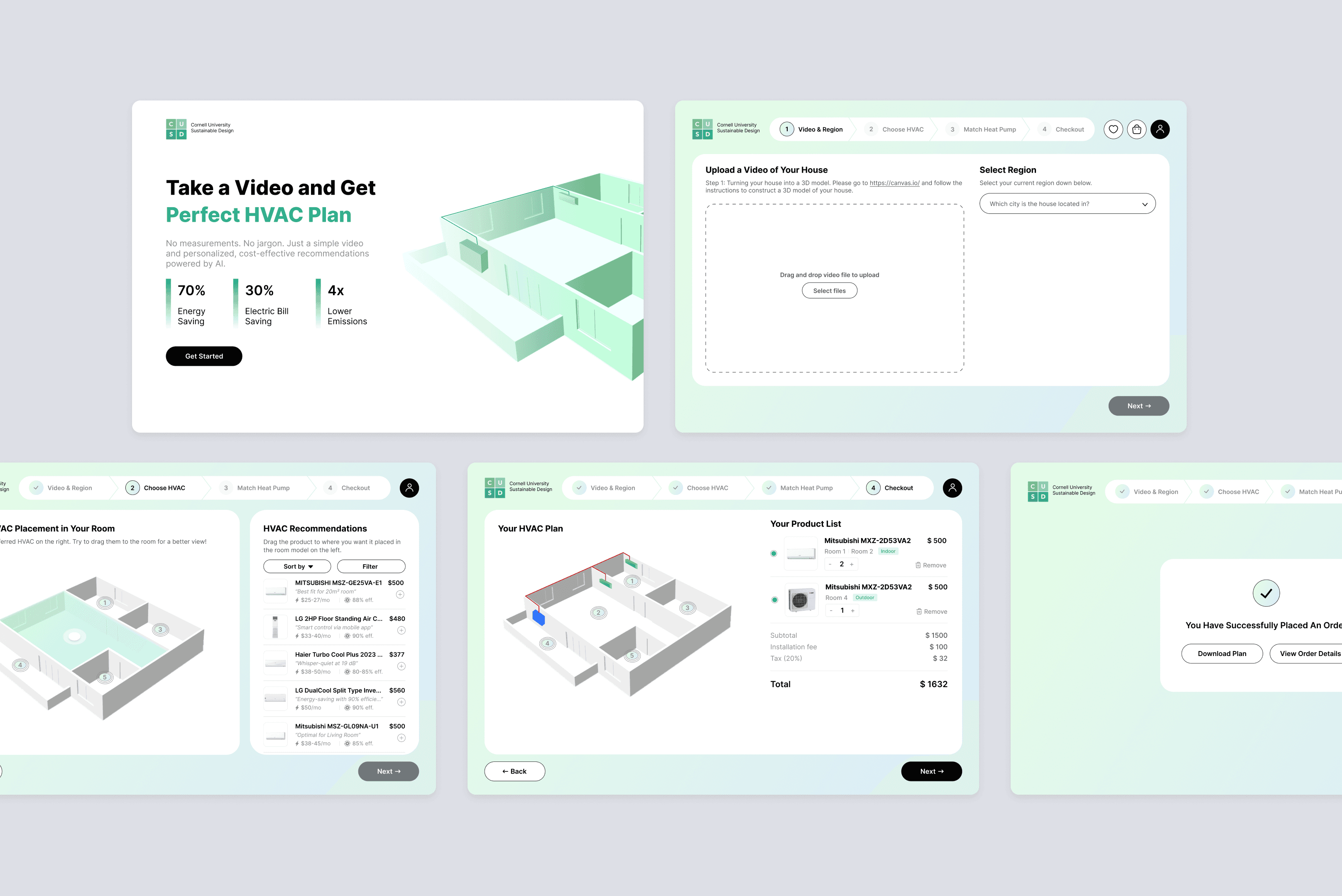
Users start from the landing page and click “Get Started” to begin. They upload a short video of their home and select their region, after which the system generates a 3D floor plan model of their space.

Step 2: Indoor Unit
Based on the floor plan, region, and selected room, the system recommends a list of indoor units. Users can add products to their room model and adjust placement, or drag them directly from the list onto the model. Once they finish configuring all rooms, they can move on to the next step.

Step 3: Outdoor Unit
Using the selected indoor units as input, the system recommends an outdoor unit and suggests the best connection layout. Users can also explore other products or adjust placements as needed.

Step 4: Checkout + Download
After finalizing their selections, users can complete their purchase directly on the platform and download an installation plan for future reference.

REFLECTIONS
Looking Forward & Final Thoughts
Expand Key Features
Add a personal center and shopping cart that let users track orders, save preferences, and manage purchases, making the platform more flexible and personalized.
Explore E-commerce Integration
If we partner with major e-commerce platforms, I would explore how to integrate their systems into ours to support seamless in-platform purchasing.
This project was my first experience building a complete design system from the ground up, teaching me how to create something consistent, scalable, and aligned with the overall brand. It also challenged me to turn a highly technical process like HVAC planning into an intuitive, user-friendly experience. Through this journey, I grew not only as a designer but also as a problem-solver, learning to balance usability, clarity, and impact in a product built to make technology feel delightful and empowering.