Team
1 Designer
Role
Product Designer
Duration
Mar. – May 2024
Tools
Figma
PROBLEM
Keeping Track of Events on Instagram is Hard
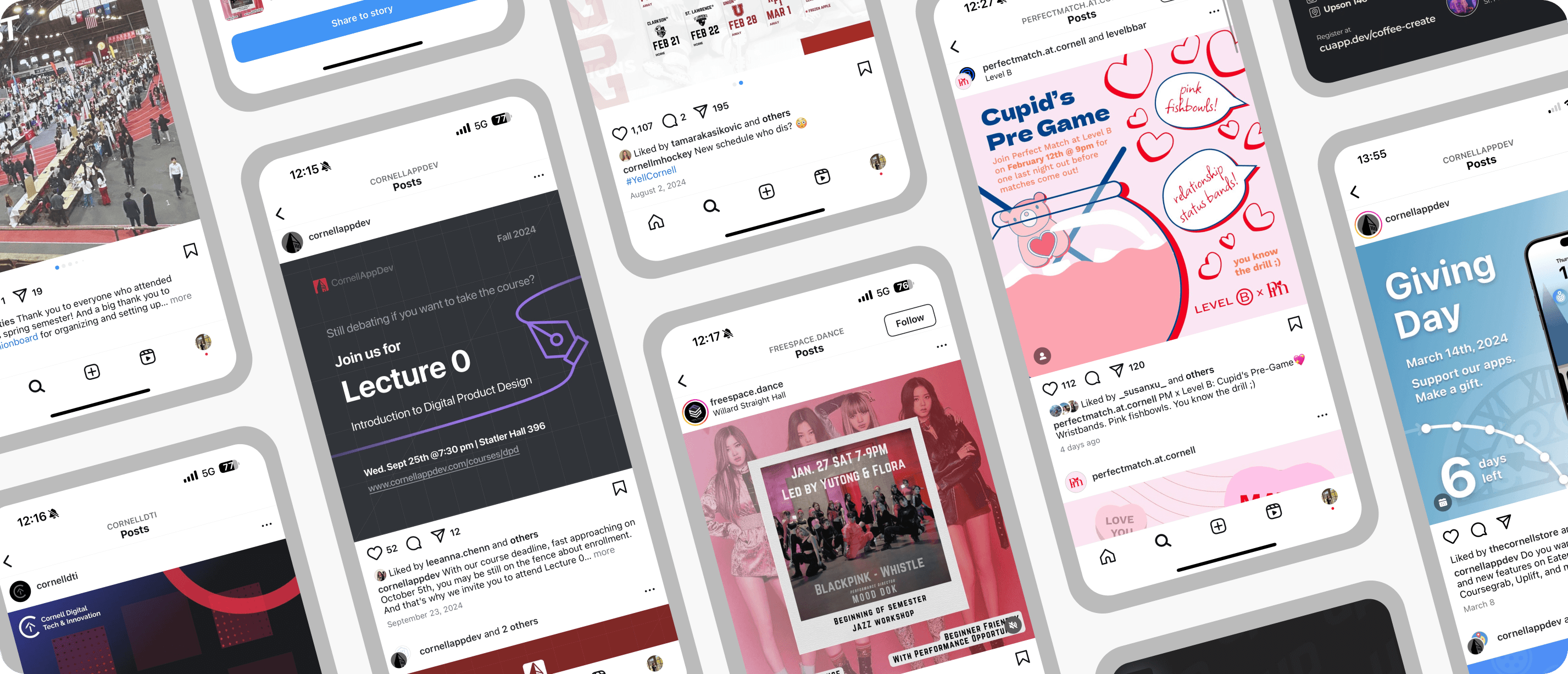
For college students, most event information comes through Instagram posts and stories. But keeping track of everything is challenging. To track events yourself manually, you have to scroll back through posts to see details, look through screenshots, and set reminders in other apps, which is time-consuming and disorganized.
What about Instagram’s current reminder feature? Instagram had a reminder feature that people can tap the bell icon on event posts to receive reminders. But the problem is:
No centralization
There is no centralized view of all events a user plans to attend.
Creator-dependent
The reminder feature is only available if creators add it to posts (many don’t).
Limited flexibility
Users can only control timing, limiting customization.
USER RESEARCH
Pain Points of Users
To verify my assumptions, I interviewed 5 college students who actively use Instagram for event discovery. Here are the key insights:
1. Users needed a fast, frictionless way to capture event information
2. Users found it tedious to go through many posts to find the event information
3. Users wanted a centralized hub to keep and check all the events they are interested in
BRAINSTORM
Exploring Solutions
To address these challenges, I explored three possible solutions.
I chose to move forward with Solution 3: Event Planner feature. Although Solution 1 can effectively remind participants of the event and give the organizer an estimate of interested participants, it is not personalized and centralized enough. While Solution 2 can display all the forthcoming events very clearly, it relies heavily on creator adoption, which may limit scalability.
Therefore, I chose Solution 3, which directly empowers users. It not only gives users more autonomy over the event information saved by personalizing some information fields but also centralizes all event information.
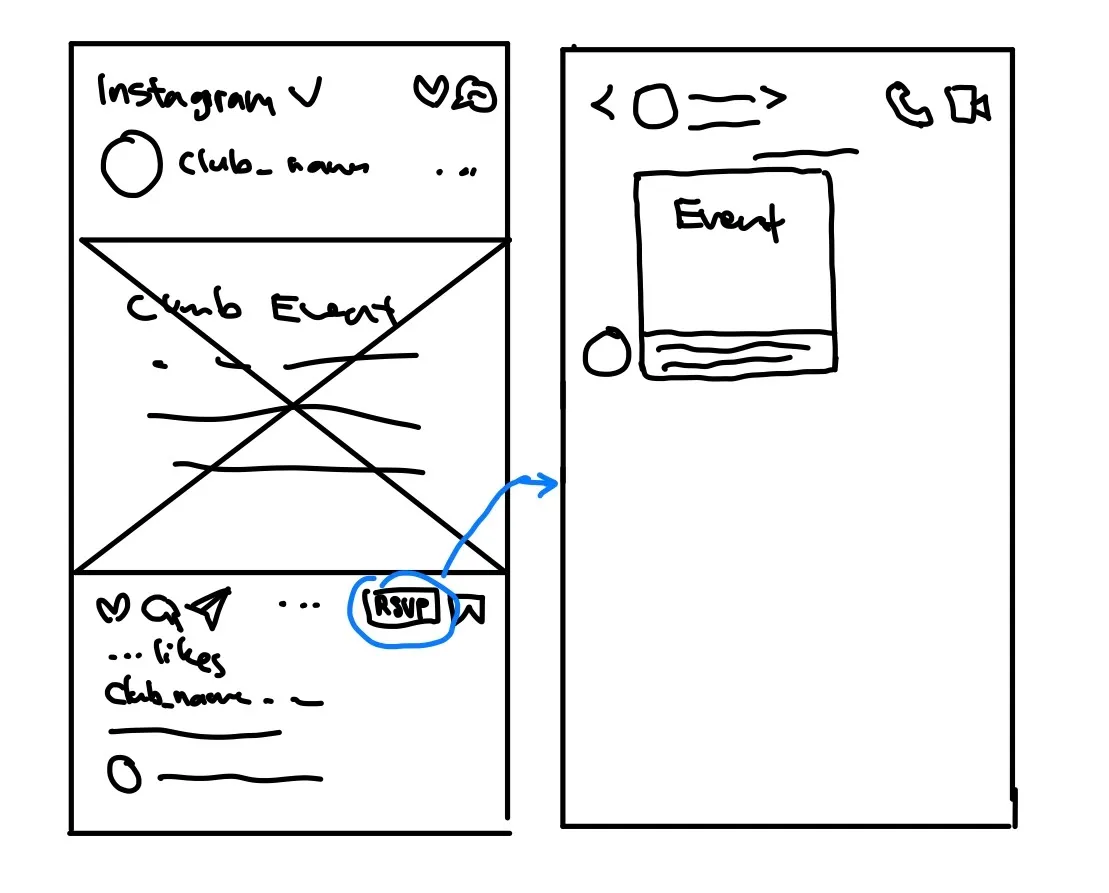
1. Direct message after RSVP
Users can tap RSVP under the event post and receive a direct message reminder right before the event.
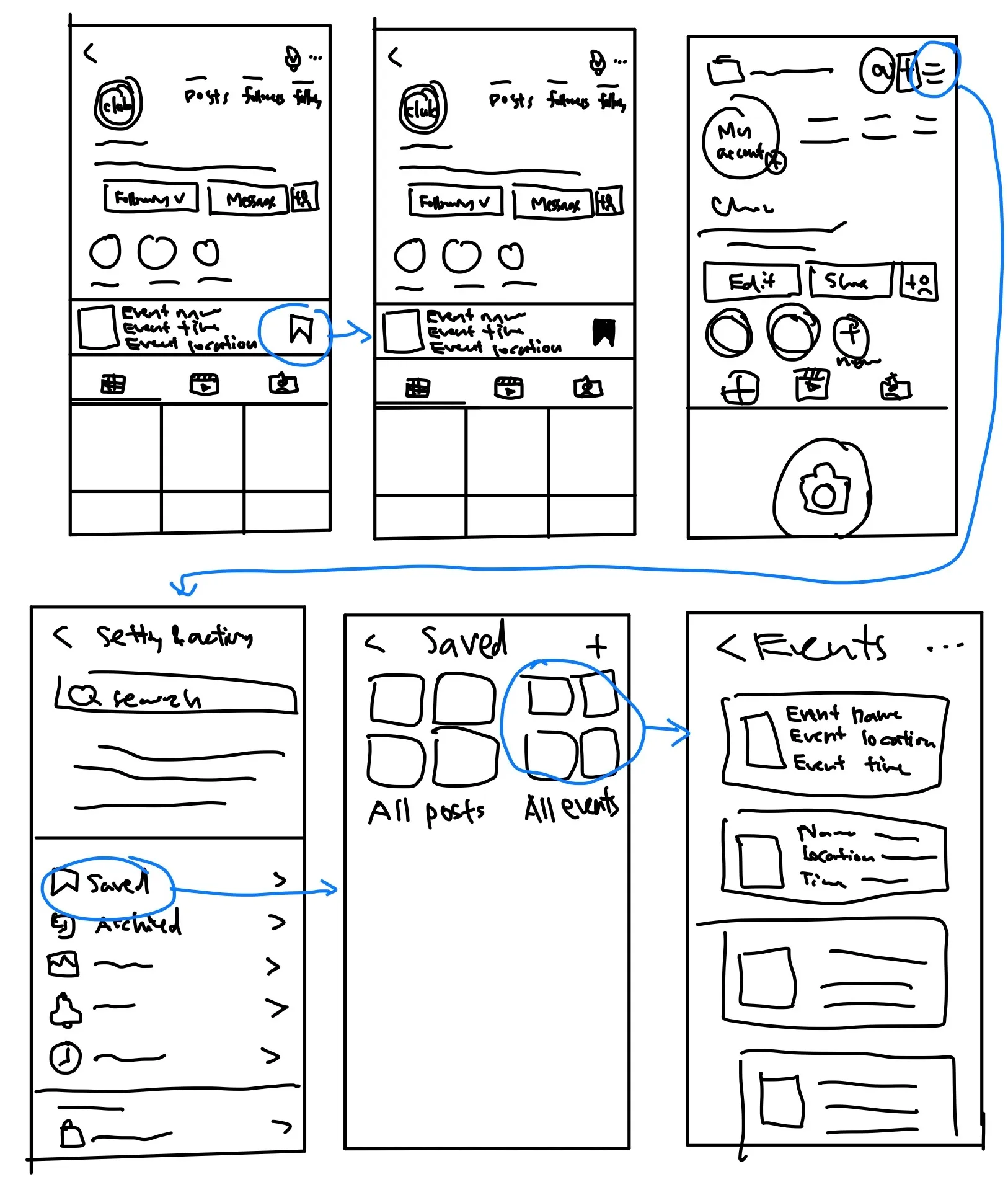
Events section on profile page
Add an event dashboard on the club’s profile where users can save upcoming events and find them later in Saved (Settings & Activity).
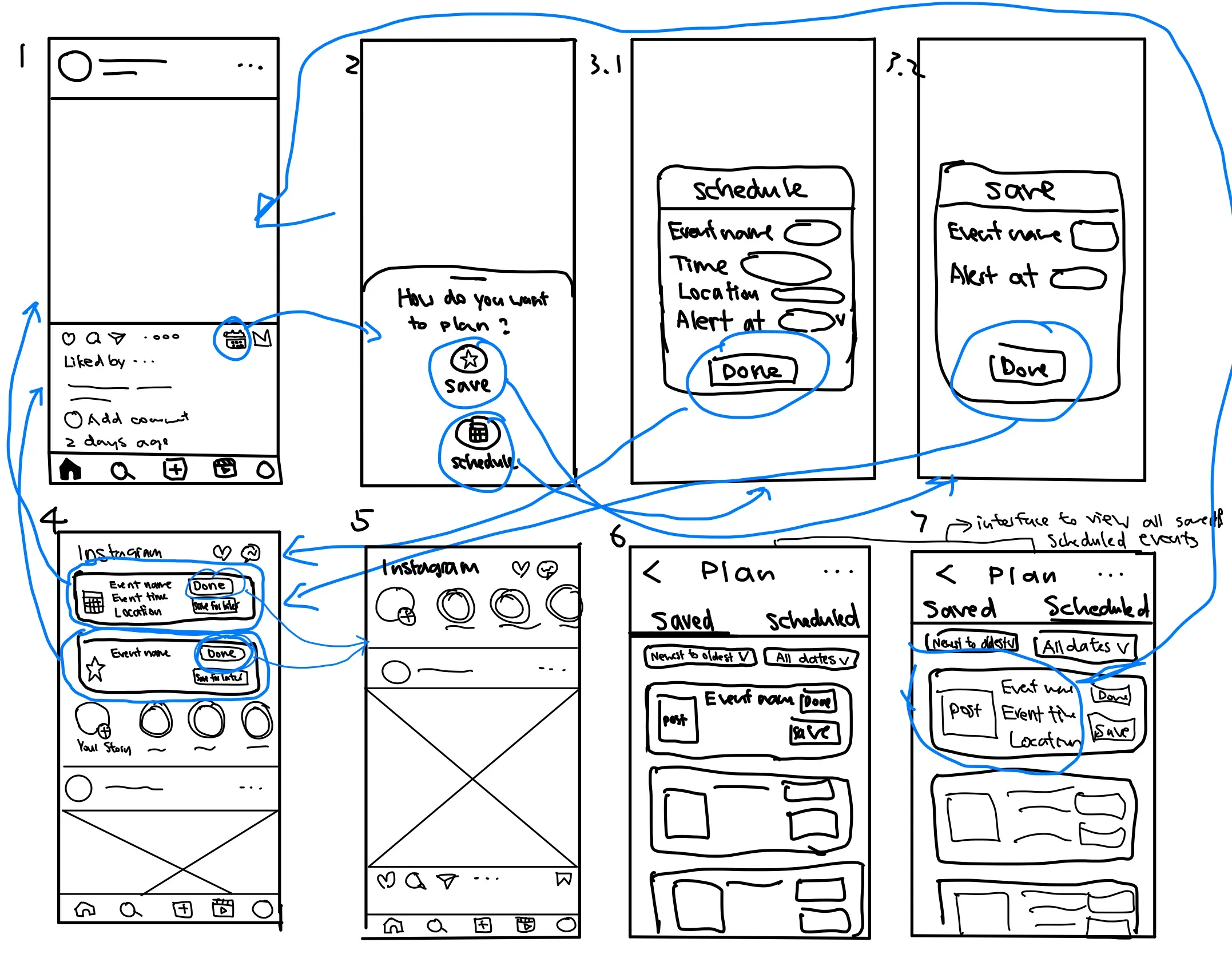
☺ 3. Event planner
Users tap a Plan icon to save an event (optionally add details), view all planned events in a Planner dashboard, and get reminders.
IDEATION
Design Exploration
With the direction defined, I structured the feature around three core user tasks.
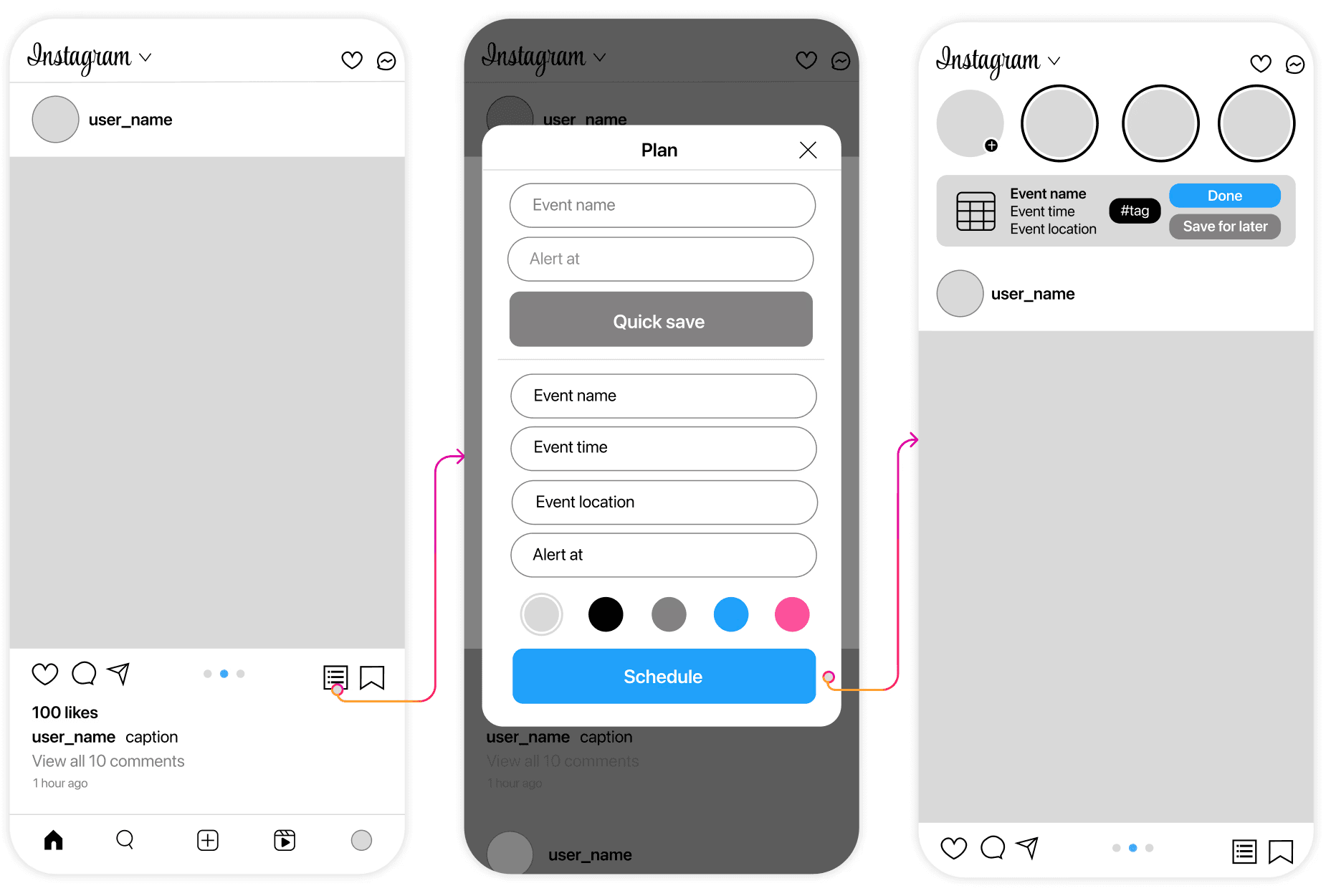
Task 1: Add Event
Users can save an event directly from a post by tapping the plan icon and entering a few event details. They’ll then get a reminder at the time they chose, and tapping the reminder takes them back to the original post.
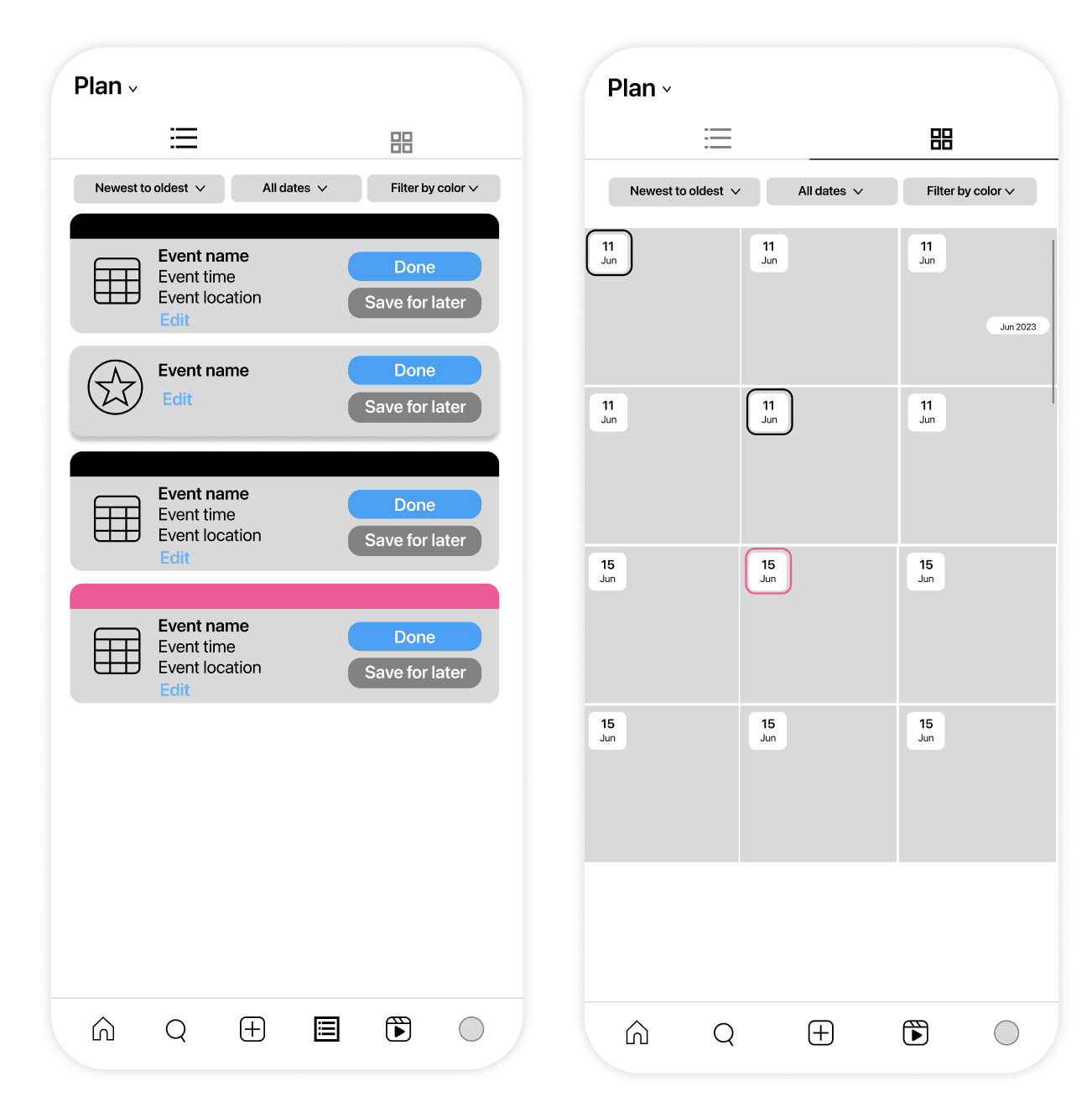
Task 2: Planner for All Events
Users can view all of their planned events in Settings and Activity. They can sort or filter them and switch between list or gallery view, allowing users to focus on details or dates based on their preferences.
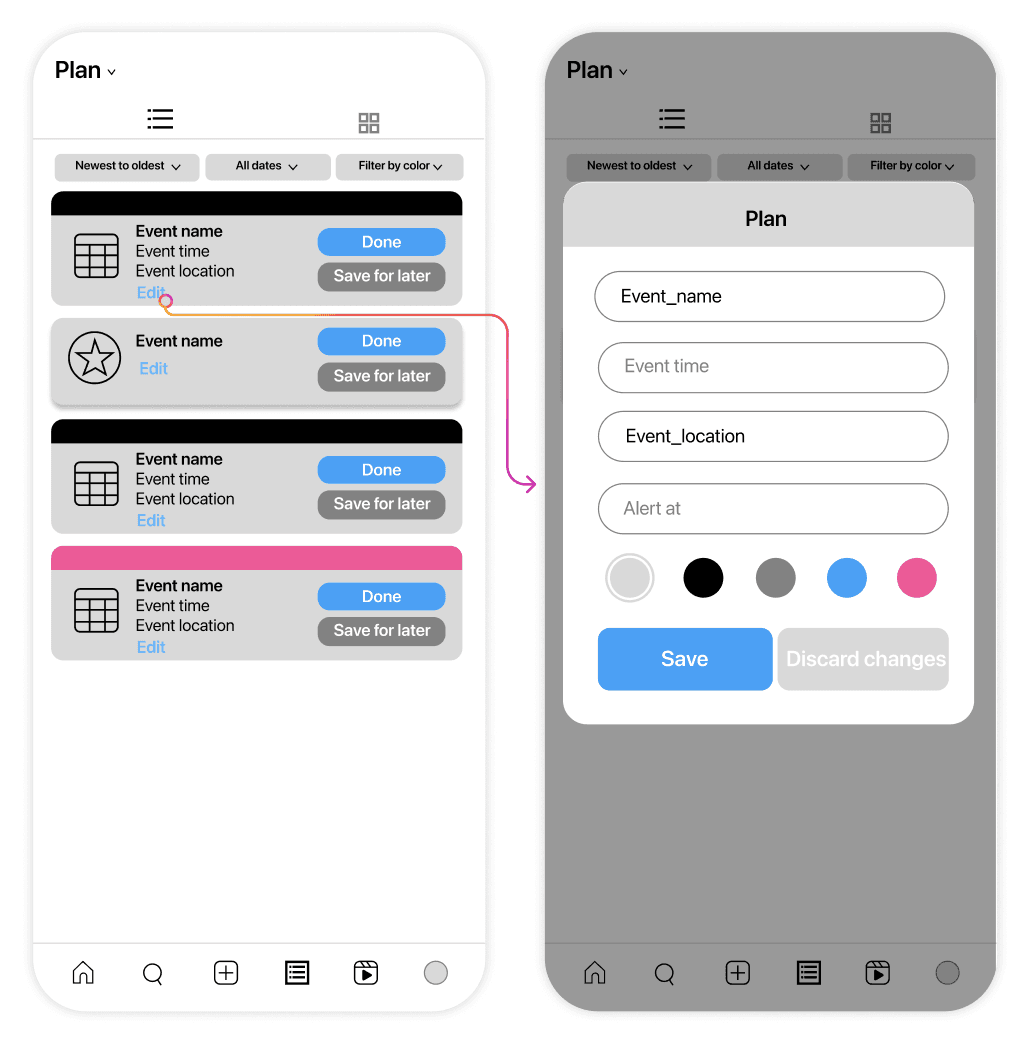
Task 3: Edit Event
Users can edit any planned event in the Planner to accommodate change.
DESIGN SYSTEM
Visual Design Exploration
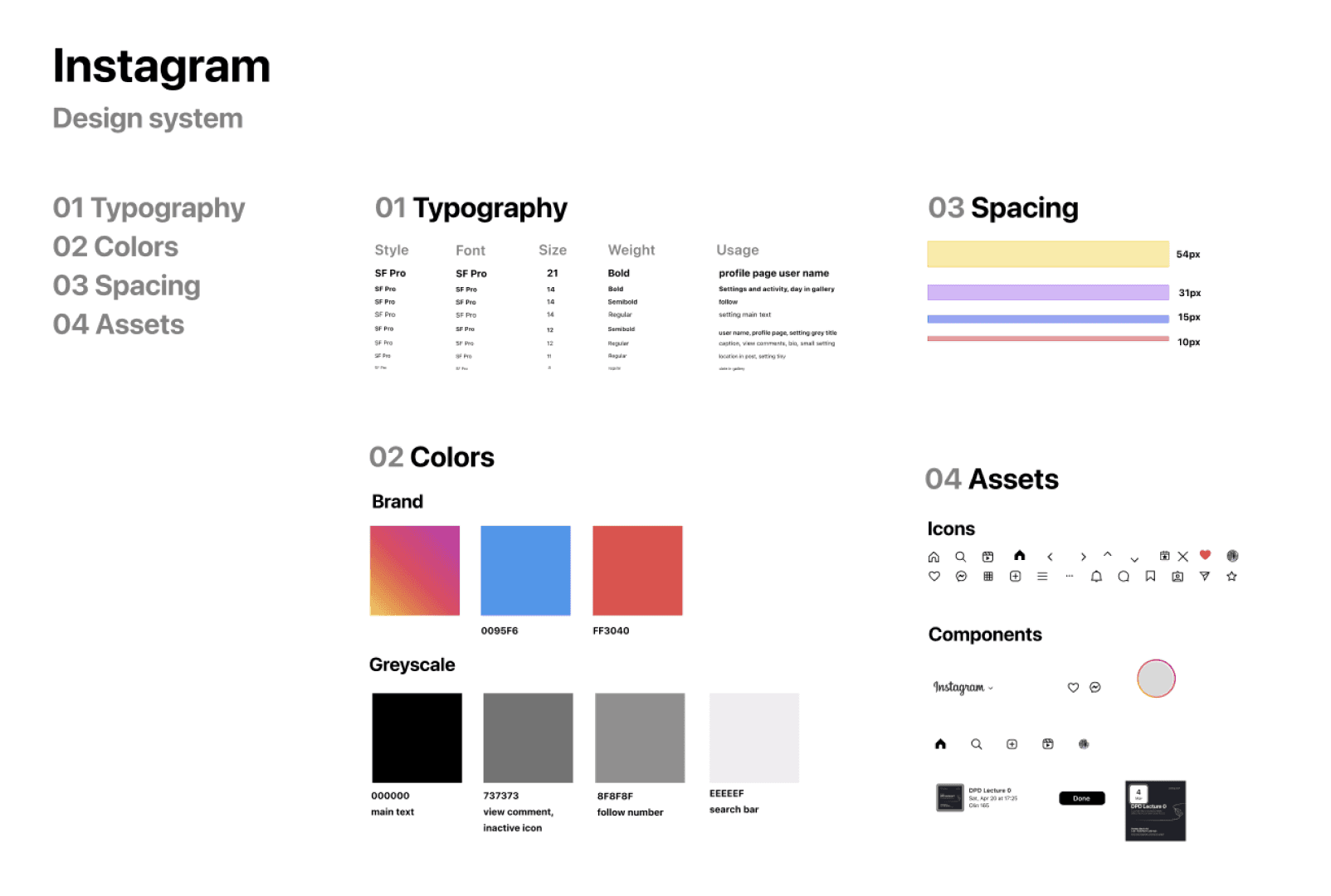
I explored Instagram’s design system and aligned my designs with existing patterns, ensuring that the new feature feels natural within the app.
USER TESTING
Insights from User Testing
I created a high-fidelity prototype based on the 3 tasks
I conducted user testing with 3 college students. Here are the insights:
1. Users found manual event data entry to be quite tedious.
2. There was a need for more clarity and conciseness in event access and editing.
3. Users wanted integration with their existing calendar tools.

ITERATION
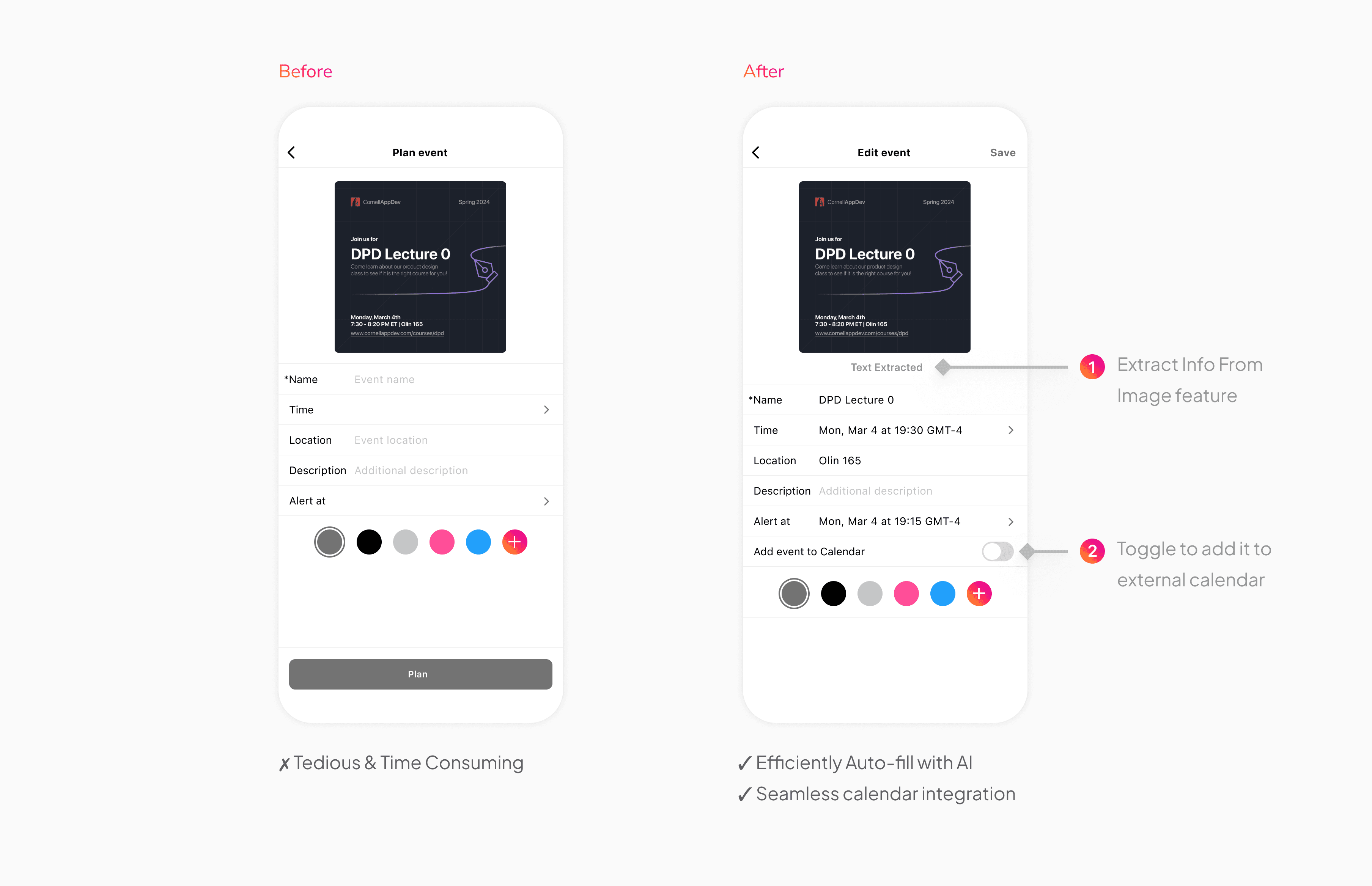
Task 1: Streamlining the Event Scheduling Experience
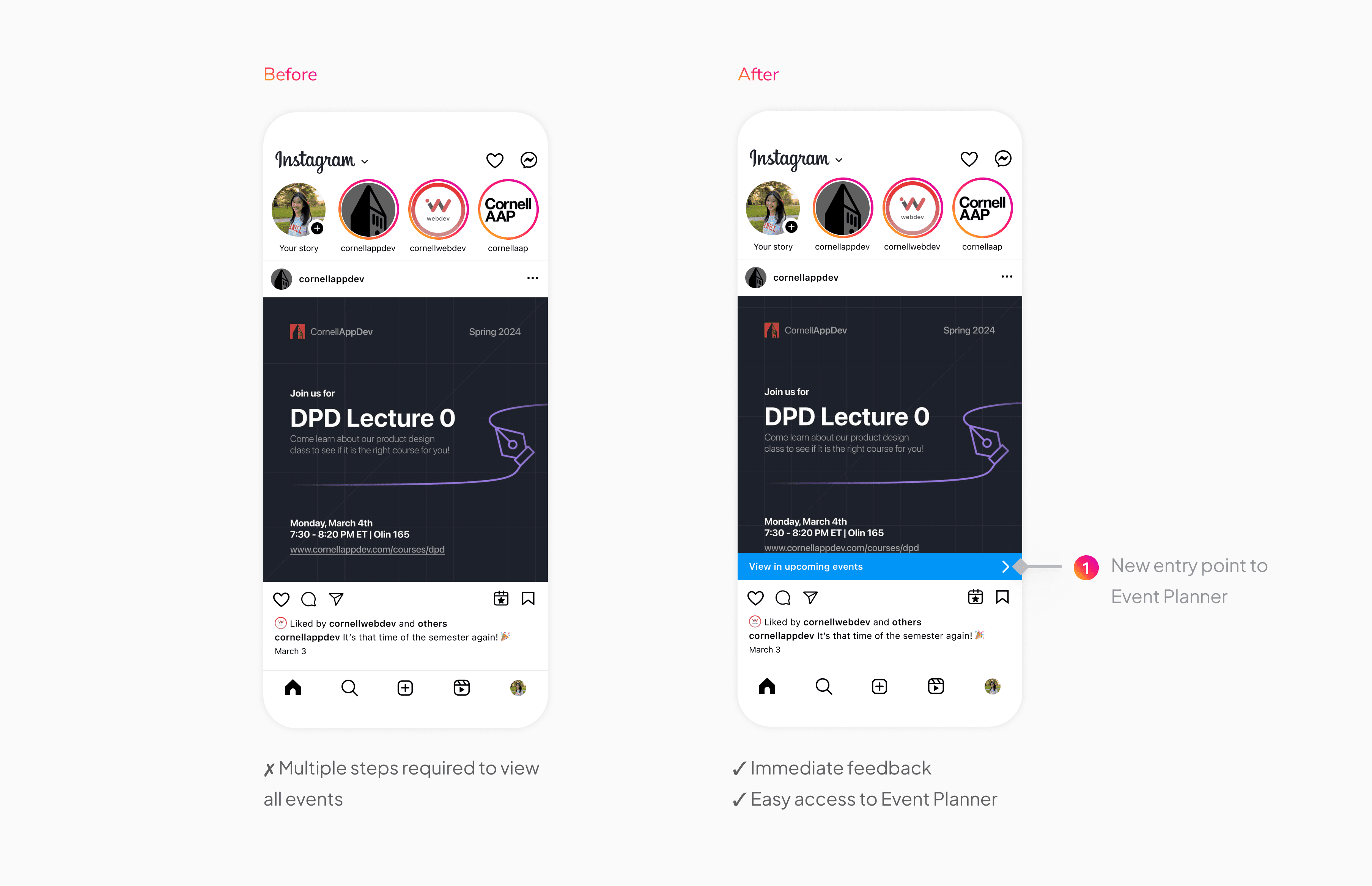
To address the need for an easier way to access events, I introduced a new entry point to Event Planner via the thin banner that appears after the user has scheduled the event. At the same time, this could inform the user that they have added the event to the planner, improving visibility to system status.
I added 2 new features to the schedule details interface:
1. AI “Extract From Image”: This feature uses AI to detect and extract relevant event information directly from the post image, automatically populating the required fields. Instead of manually entering details, users simply review and confirm the extracted information, significantly reducing cognitive load.
2. Calendar Integration toggle: Users can optionally sync events directly to their iPhone Calendar. This supports seamless integration with existing planning tools, giving users flexibility to manage events within or beyond Instagram based on their preferences.
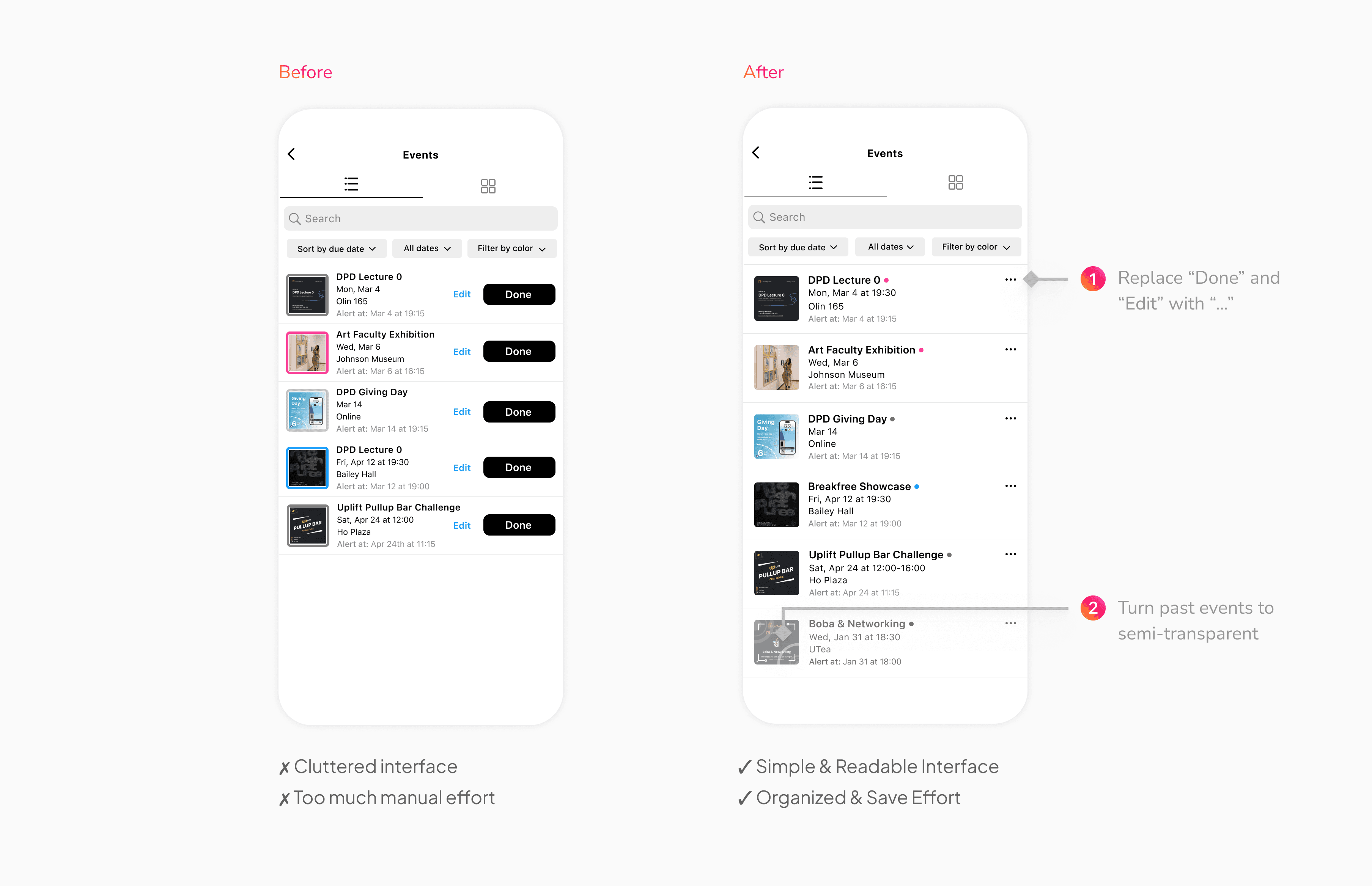
Task 2: Simplifying the Planner Interface
I refined the Planner layout to improve clarity and hierarchy, helping users quickly understand and manage their events.
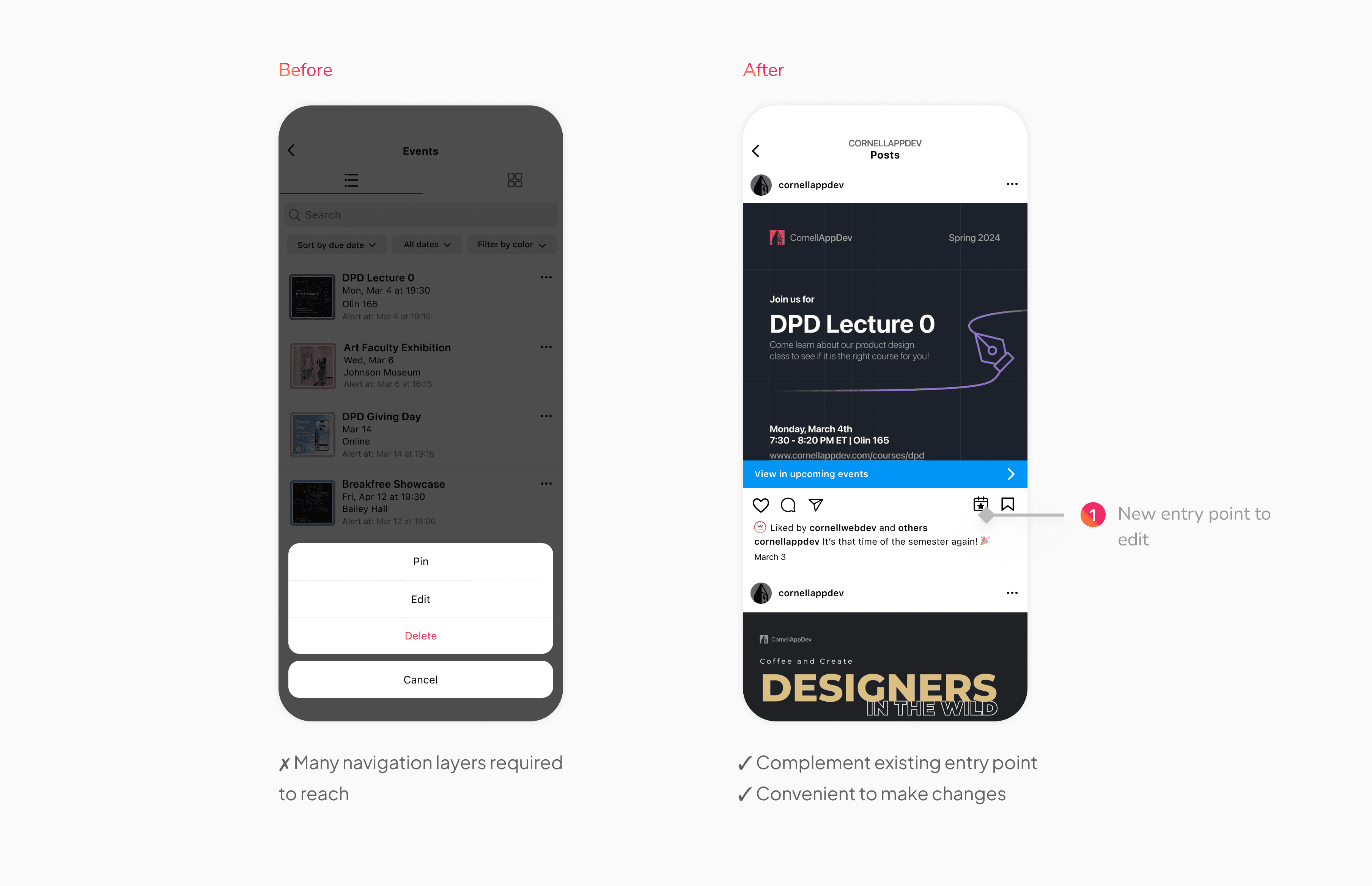
Task 3: Reducing Friction in Event Editing
To address the need for a simpler way to edit events, I added an additional entry point to edit an event directly from the plan icon below the post. This complements the existing entry point in the Planner and reduces the number of steps required to update event information, making the process more convenient and efficient.

FINAL DESIGN
Task 1: Add Event
Save events to your Instagram Planner and receive notifications at your chosen time.

Add event to calendar

Receive notification
Task 2: the Planner
View and manage all upcoming and past events in one centralized space.

Task 3: Edit Event Information
Update saved event details quickly and easily when plans change.

Enter from post

Enter from planner
REFLECTIONS
Final Thoughts & Looking Forward
Strengthening Instagram’s mission
Instagram has always been a platform that fosters connection and community through visual storytelling and social interaction. My design builds on that by making it easier for users to discover, organize, and attend events while helping creators cultivate more engaged communities.
Beyond campus events
While this case study focuses on campus events, the feature can benefit a much wider range of users. People could also save a hockey game to watch, a recipe to try for dinner tomorrow, or even a product they saw in an ad and intend to buy, supporting many different needs and interests across Instagram.
Due to the scope and time limitations, this study primarily focuses on improving the attendee experience. In the future, expanding this feature to support creators—for example, allowing them to see how many users have scheduled their events—could provide valuable insights into expected attendance, and enabling better resource planning and staff allocation. Additionally, creators could provide interested attendees with targeted updates, exclusive content, or last-minute changes, improving communication and boosting engagement.